
September 14, 2026
Seamless Product Browsing
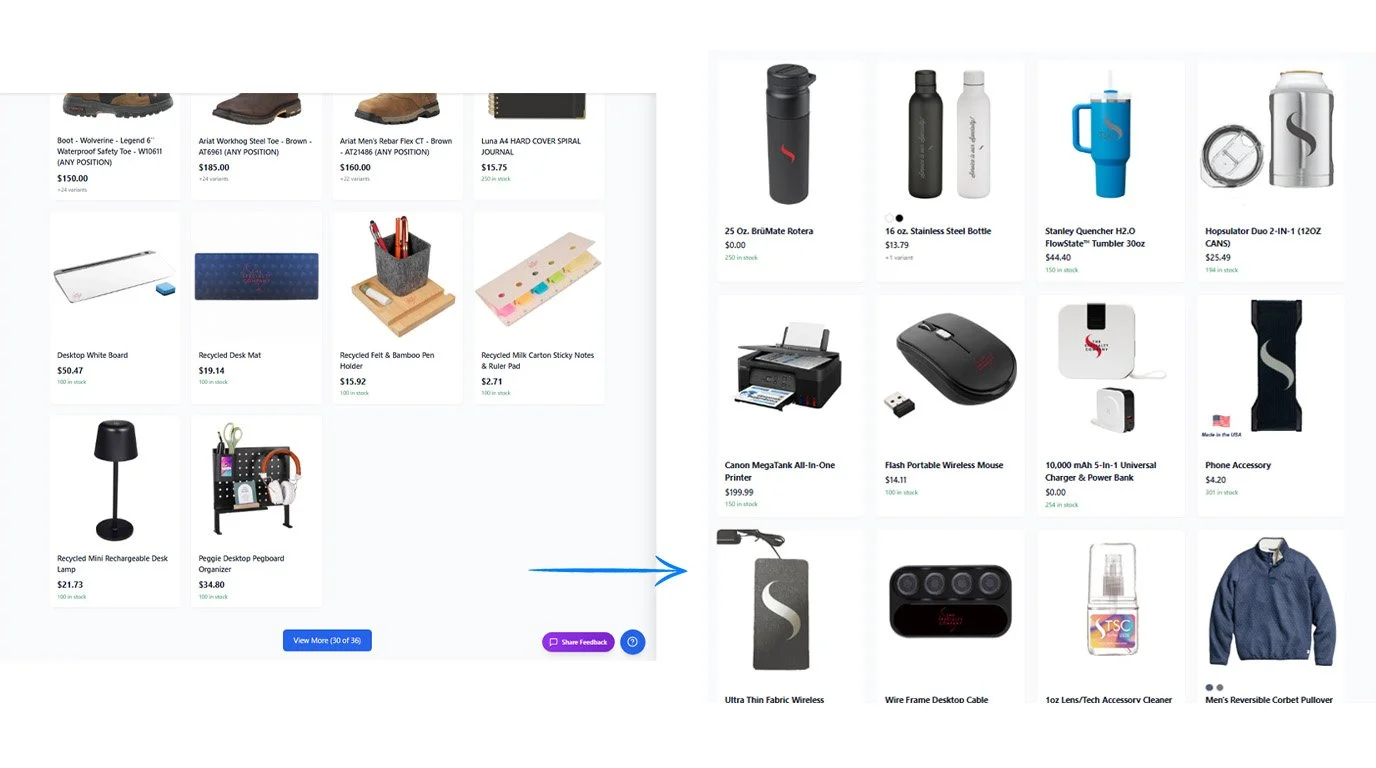
Browsing products just got easier! The “View More” button has been replaced with automatic loading, so additional products load seamlessly as you scroll.
When you select a product to view its details or place an order, then return to the full product listing, you’ll be taken back to your exact previous scroll position, with previously loaded products preserved.
A Cleaner, More Focused Store Layout
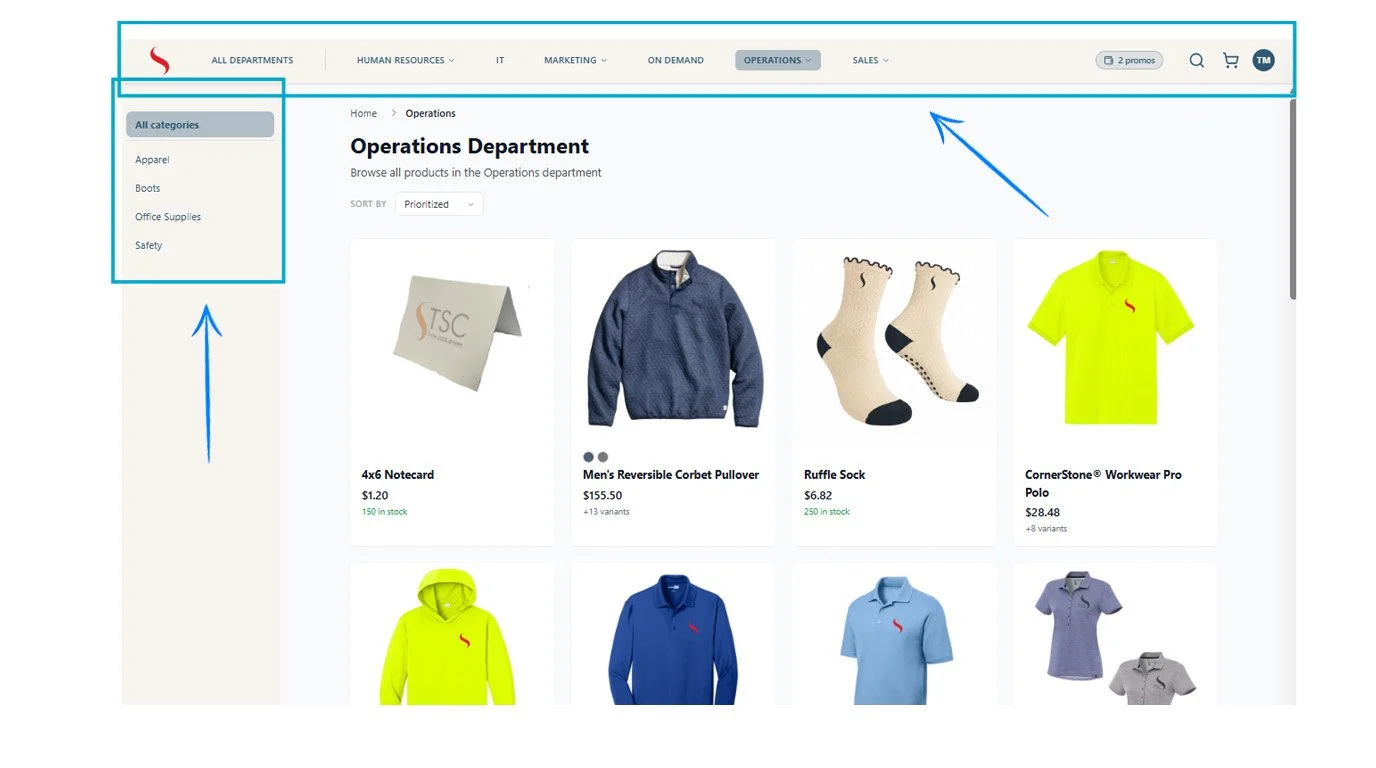
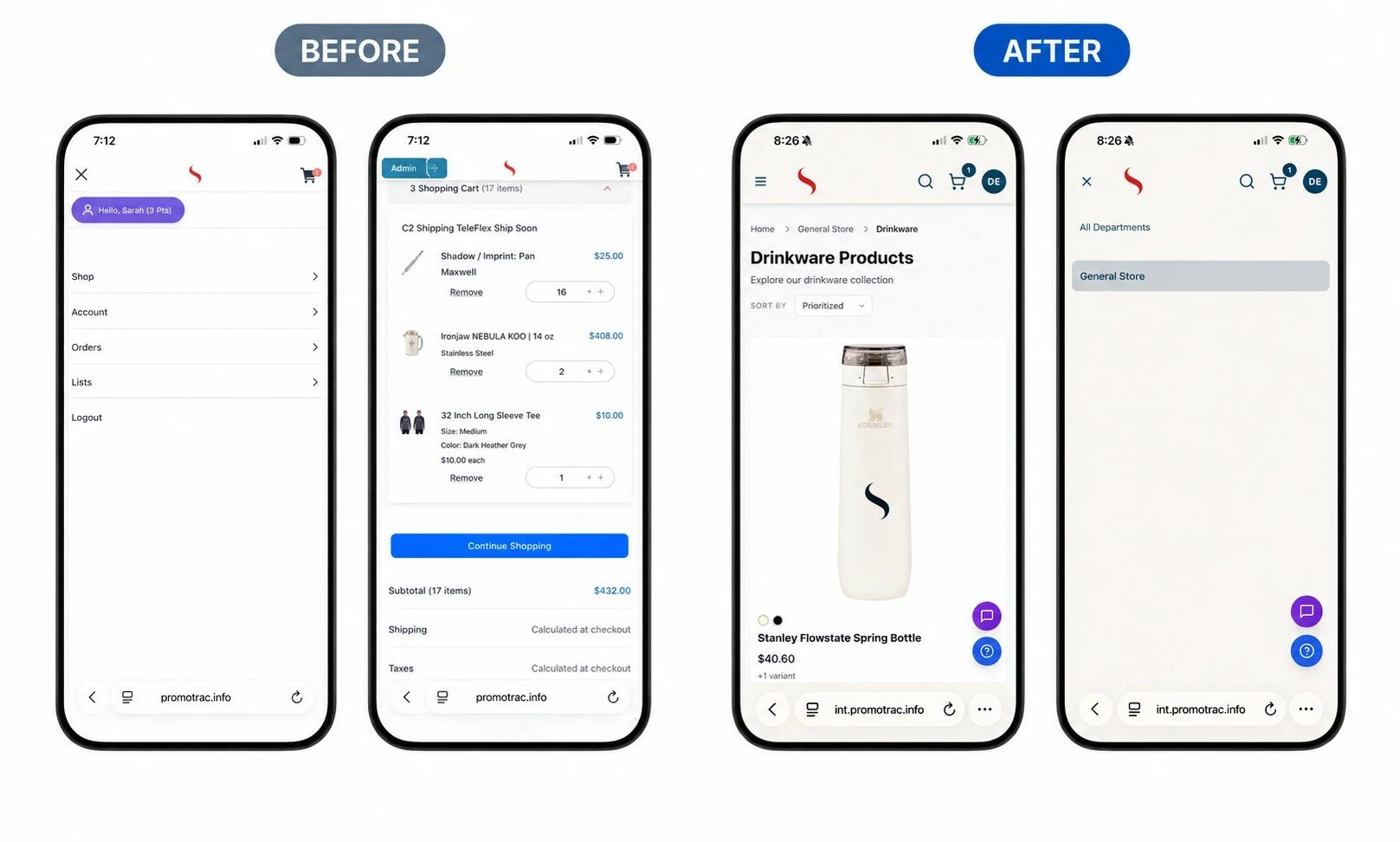
We've also updated the store layout to create a cleaner, more intuitive browsing experience. The main navigation has been consolidated into one streamlined row across the top of the page, keeping the layout organized and making it easier for shoppers to move between departments.
Once a department is selected, the navigation on the left automatically updates to show only the categories within that department. This keeps the shopping experience focused and removes unnecessary navigation options from other departments.
The header has also been simplified and collapsed, giving the page a cleaner appearance while keeping search easily accessible through the magnifying glass icon.
Together, these updates create a more organized and streamlined store, helping shoppers quickly understand where they are, navigate between departments, and find the products they need.
Improved Navigation After Search
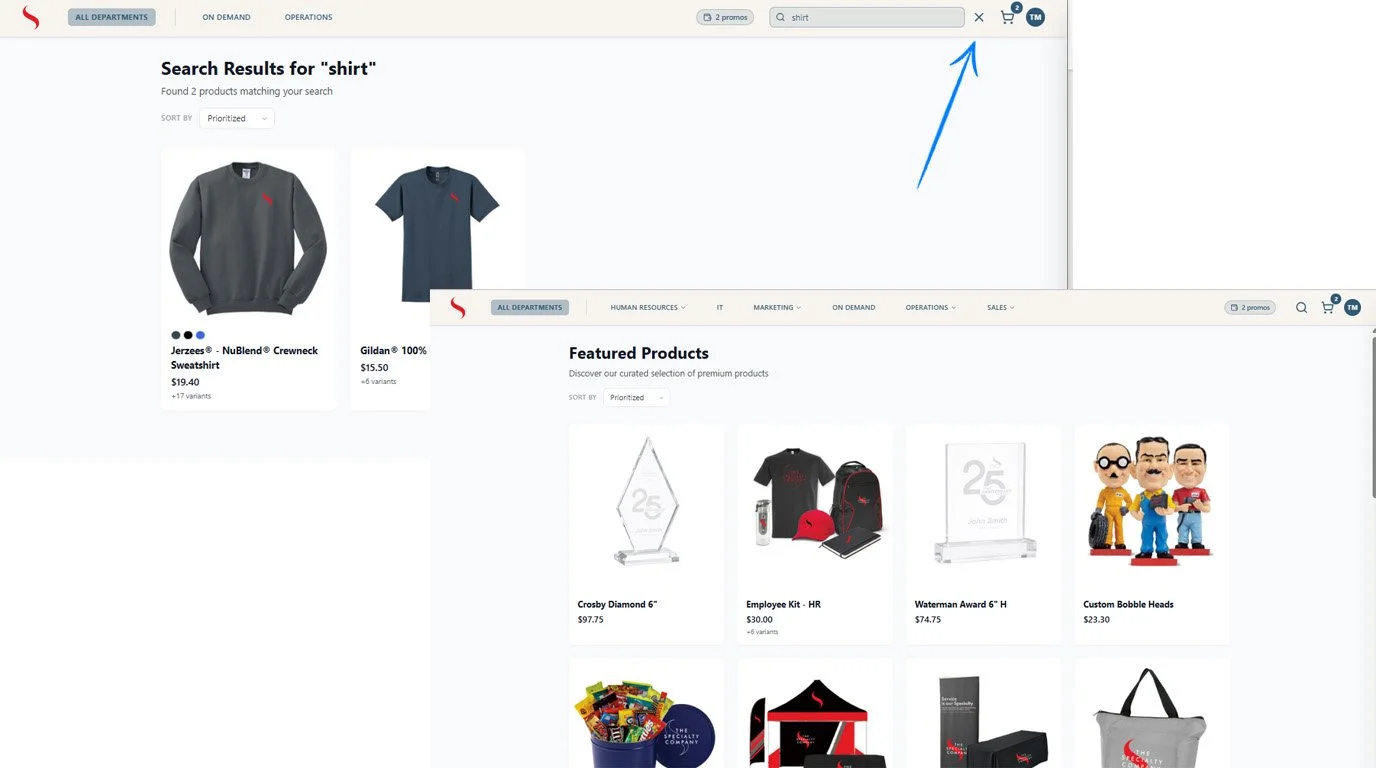
Search is now more seamless! Search filters apply only to the search results page, so when you return to browsing, the full product navigation is restored.
Once you leave search results, the full navigation returns, making it easy to continue browsing other departments and products.
Mobile Shop Updates
As more shoppers are shopping from their phones, we are continuing to refine the mobile experience. The updated mobile shop now includes a standard mobile navigation menu, giving shoppers an easy way to access departments, categories, and filters from smaller screens. Instead of losing the department navigation on mobile, customers can open it directly from the header using the familiar hamburger menu. The shoppers account menu can now also be accessed by the initials drop down on the top right.
Faster Address Entry
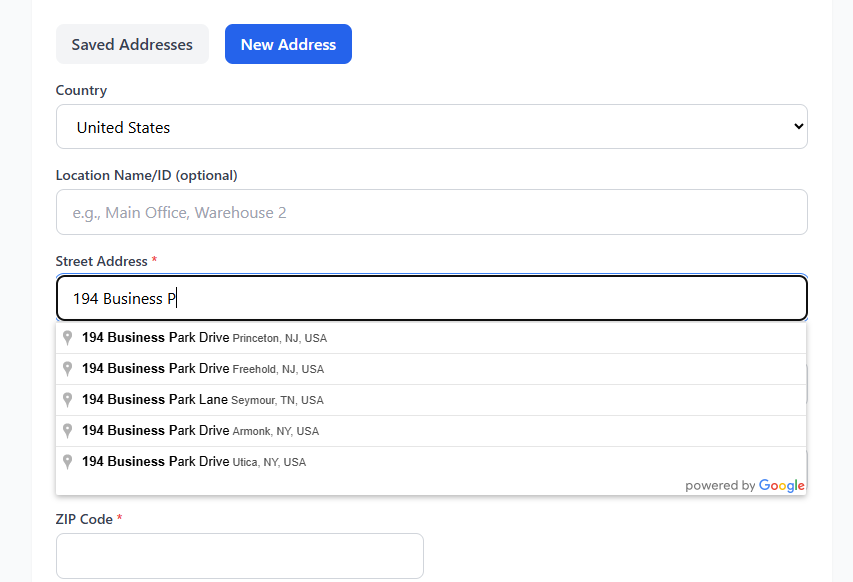
Entering your shipping address is now faster and easier with address autocomplete. As you begin typing an address, matching addresses are suggested automatically, helping you quickly find and select the correct address with less typing and fewer errors.
Copy Personalization Between Products
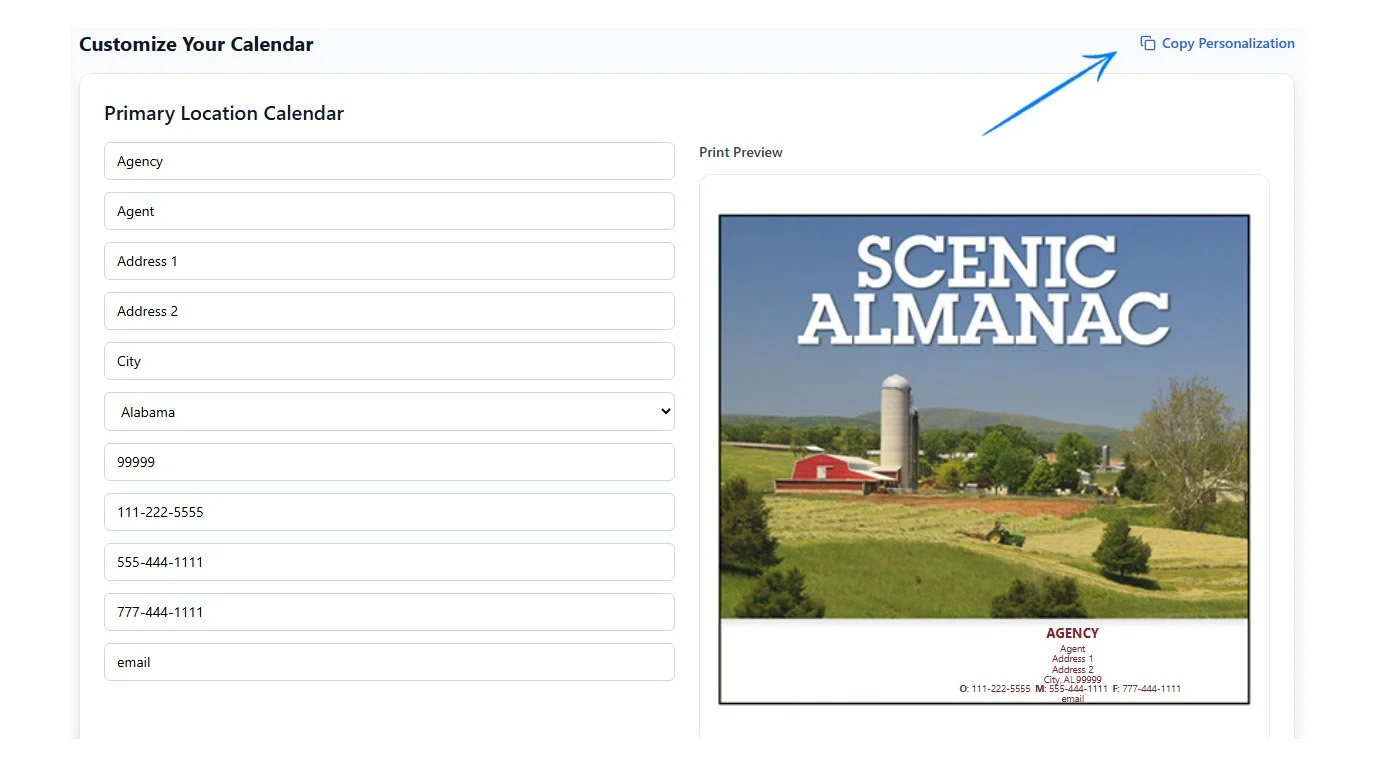
Personalizing multiple items just got easier! Customers can now copy personalization details from one product to another, eliminating the need to re-enter the same information for each item.
When adding another print on demand product with similar customization, customers can copy matching personalization fields from a previous product and make any necessary changes before adding it to the cart.
Completely Customizable Items
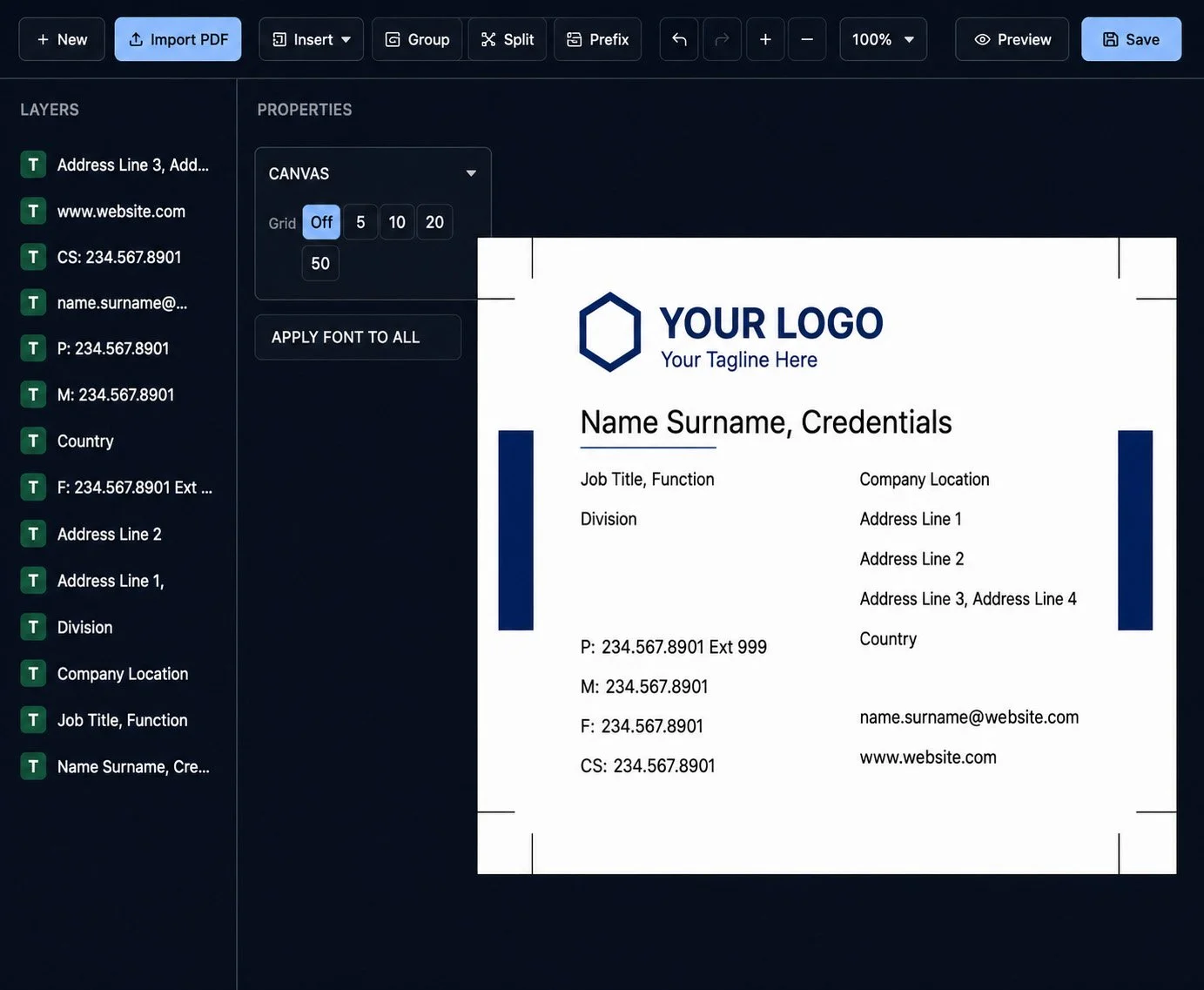
Not every item needs to be one-size-fits-all. PromoTrac now makes it easier to create and manage items that can be customized to fit your program.
From business cards and calendars to literature and more, we can now build items with the options and details that matter for each program. This gives you the flexibility to offer a wider variety of products while making sure shoppers can get exactly what they need.
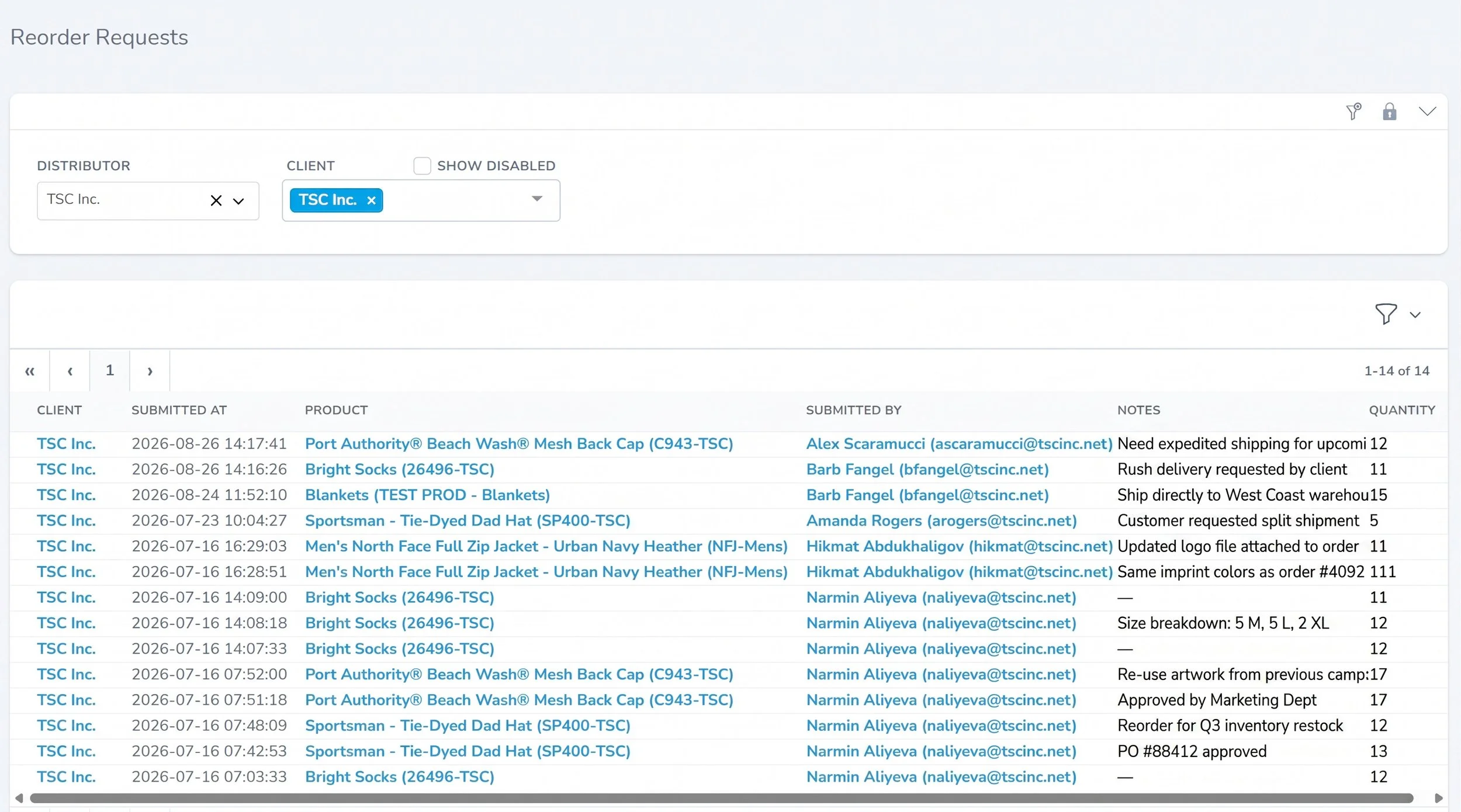
Track Reorder Requests
Client admins now have an easy way to track their reorder requests. A new reorder request report is available under Reports, giving you visibility into the requests submitted for your account.
Bug Fixes & Improvements
International zip codes: International Zip codes were incorrectly displaying an additional ZZ. This has been corrected.
Personalization on order receipts: Personalization entered on the product page now appears on the receipt in the same order as listed on the product page.
Personalized product images: Fixed an issue where the gallery image was displayed instead of the main product image for personalized items.
Quick view: Fixed an issue with scroll position being lost in the quick view when a product had more colors than could fit on the page.
Have questions about any of these updates or need help getting started? Reach out to us at PromoTrac Support. We would love to hear from you!