
v7.4: Make Yourself at Home in the New Shop
June 2026
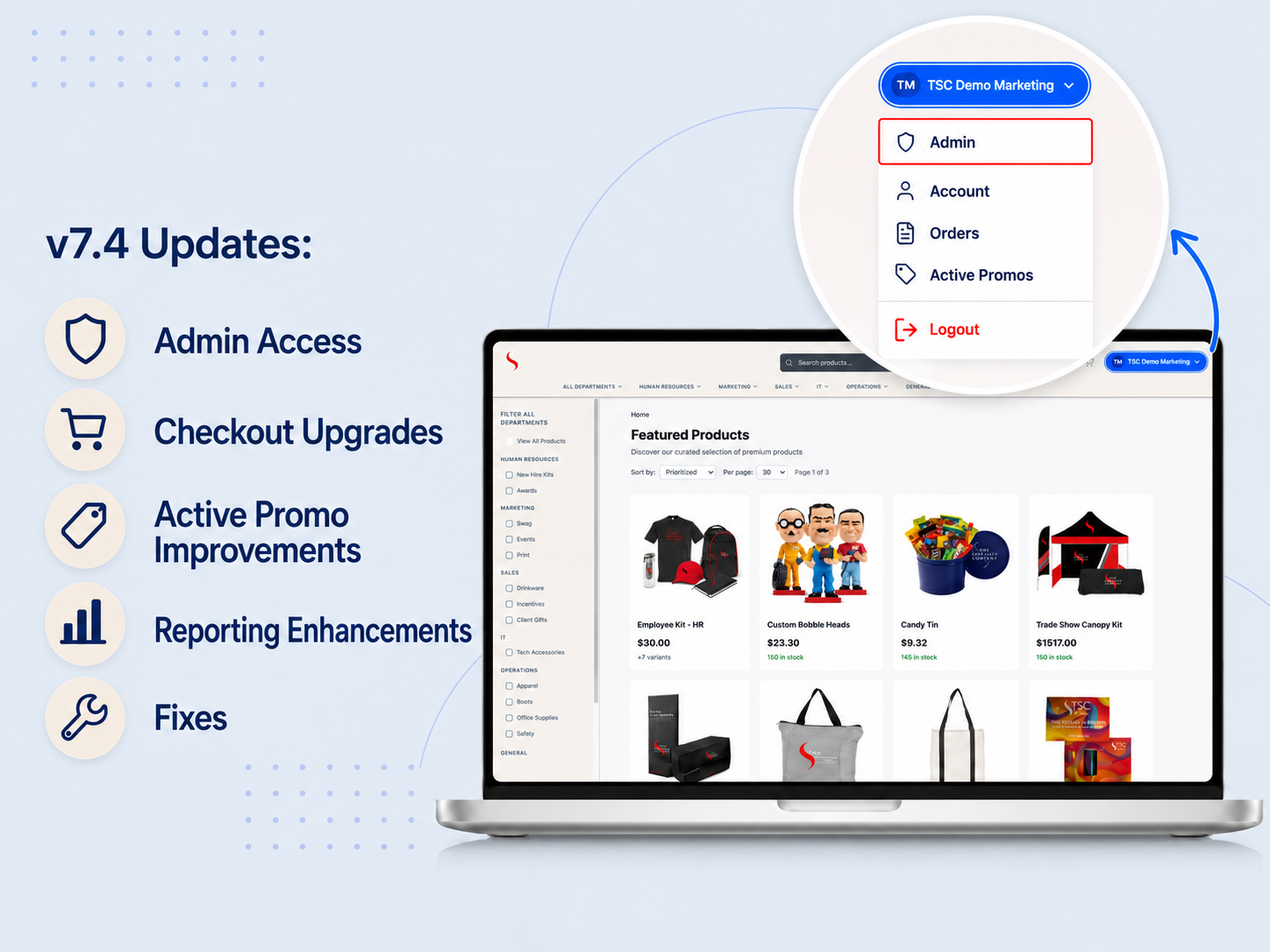
PromoTrac v7.4 is live! The new shop is now your default PromoTrac experience, and home base from here on out. If you missed the announcement, you can catch up on the move here. This release builds right on top of it, with a new way for admins to reach the Admin area, a more customizable checkout, and a clearer view of your active promos. We also made some thoughtful reporting upgrades to help take the guesswork out of reordering, plus a handful of other useful fixes.
Admin Access in the new shop
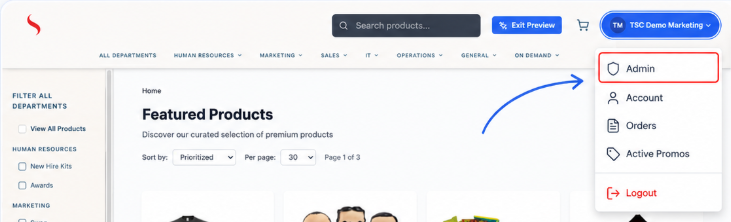
Until now, the Admin area could only be reached from the classic shop. With the new shop now your default experience, admin users will see an Admin option, marked with a shield icon, right at the top of the account dropdown (the same menu that holds Account, Orders, Active Promos, and Logout). It routes straight to the Admin area you already use, and it only appears for users with admin access, so regular shoppers see no change at all.
So if you have been landing in the new shop and looking for the way into Admin, this is it. It also gets your team set before the legacy Admin experience is retired later this quarter.
Customize your Checkout experience
Checkout can now be tailored to capture the information that matters for your orders, with a range of field types to choose from depending on what you need to collect. The options include short or long text fields, dropdowns with a set list of choices, yes/no selections, and date pickers, plus an initials acknowledgment for orders that need a sign-off. That makes it easy to capture details like a cost center, PO number, business unit, event or reason for purchase, or a required-by date, right at checkout.
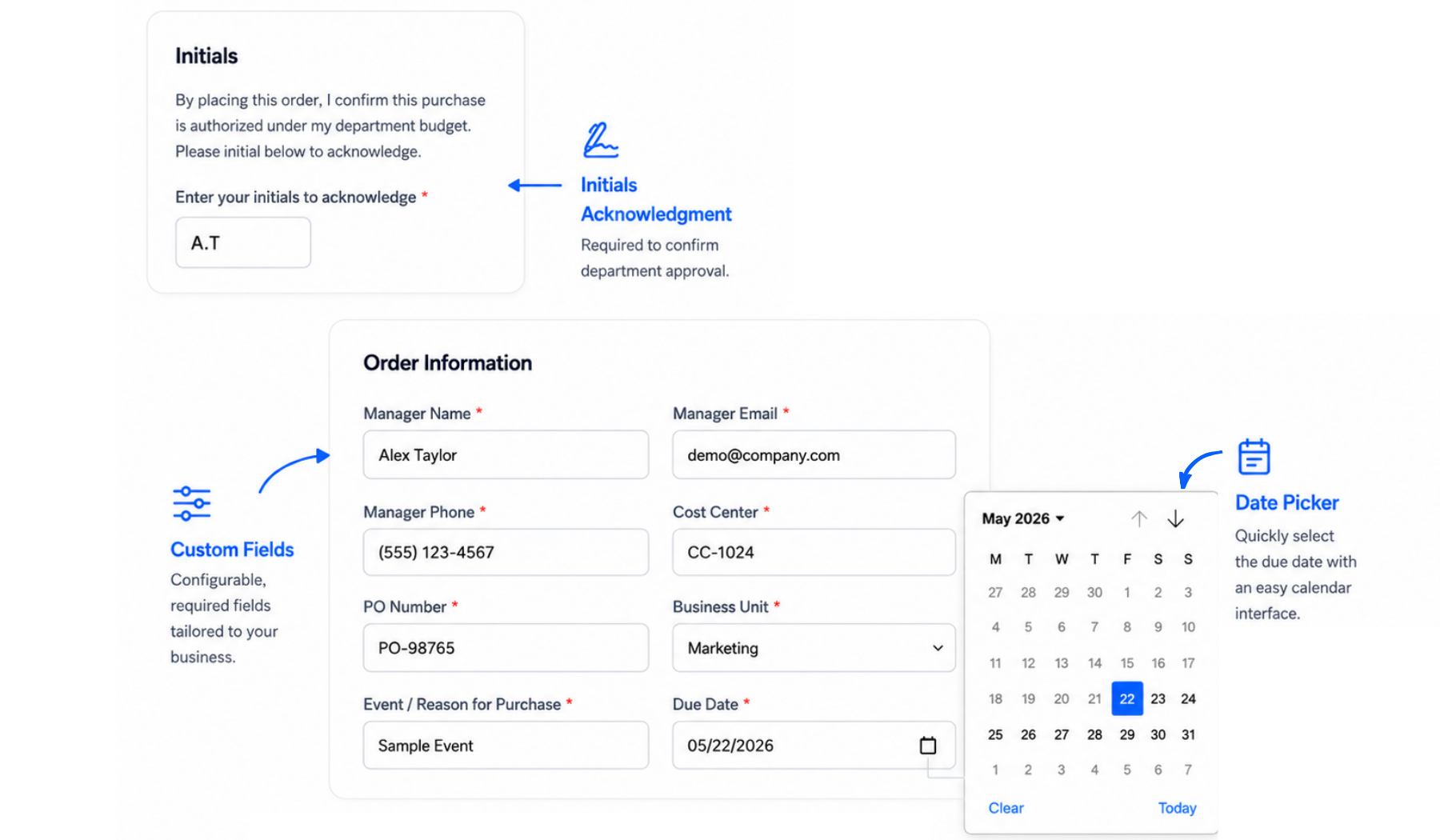
Once a field is turned on for your store, it becomes a required step at checkout, and whatever a shopper enters travels with the order all the way through, onto the confirmation page, and the order receipt. If there's a checkout setup you'd like to explore for your store, just let us know and we'll help get it configured.
Your Active Promos, at a glance
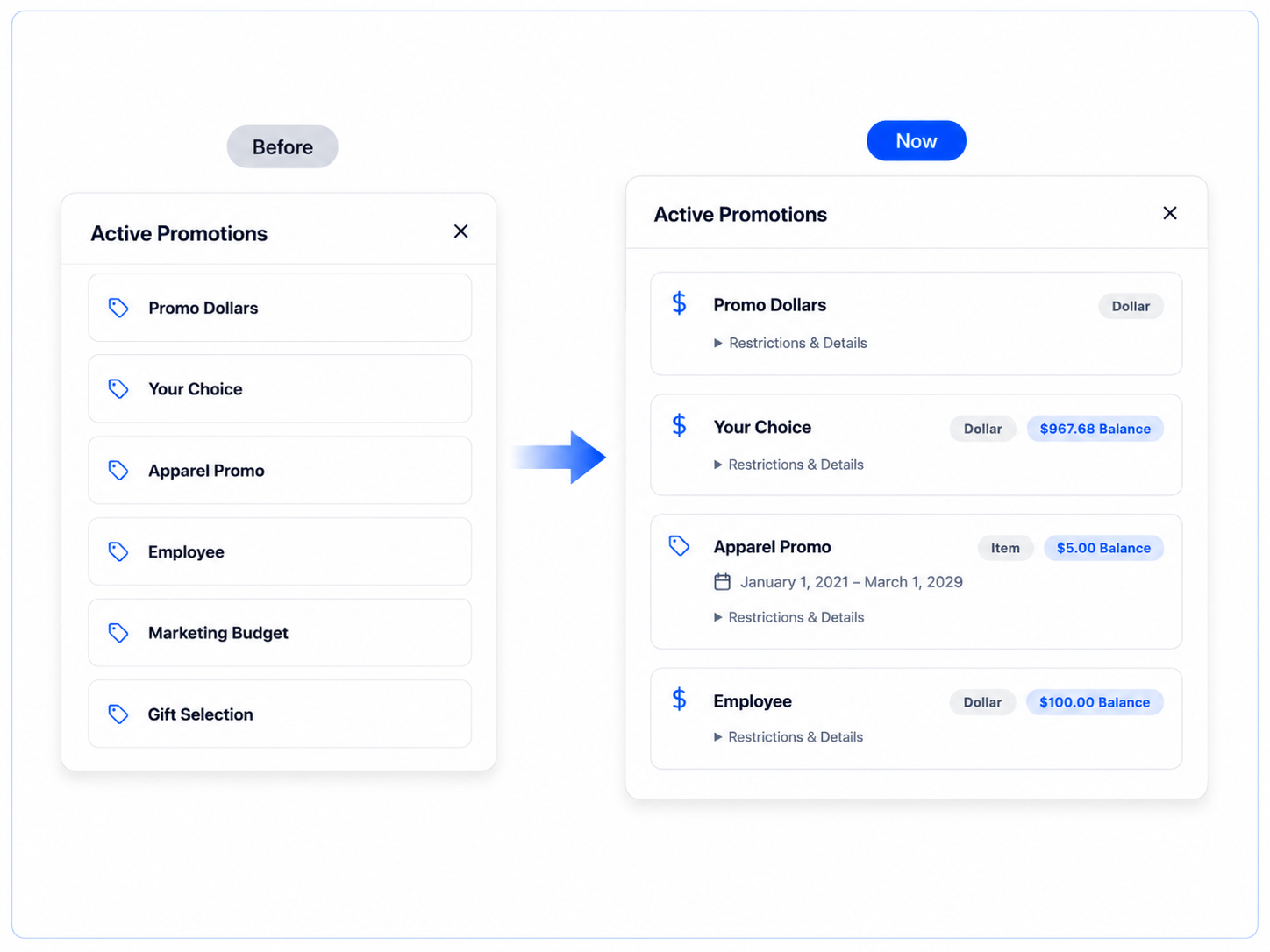
In the new shop, every active promo shows its key details right on the card: the type (dollar or item), the balance you have left, and the date range it is valid for when one applies. You no longer need to open each one to see this information. If you want the finer print, a Restrictions & Details link expands for the rest. You can see exactly what you have to spend, on what, and until when, all in one place.
Smarter reorder planning with Months on Hand
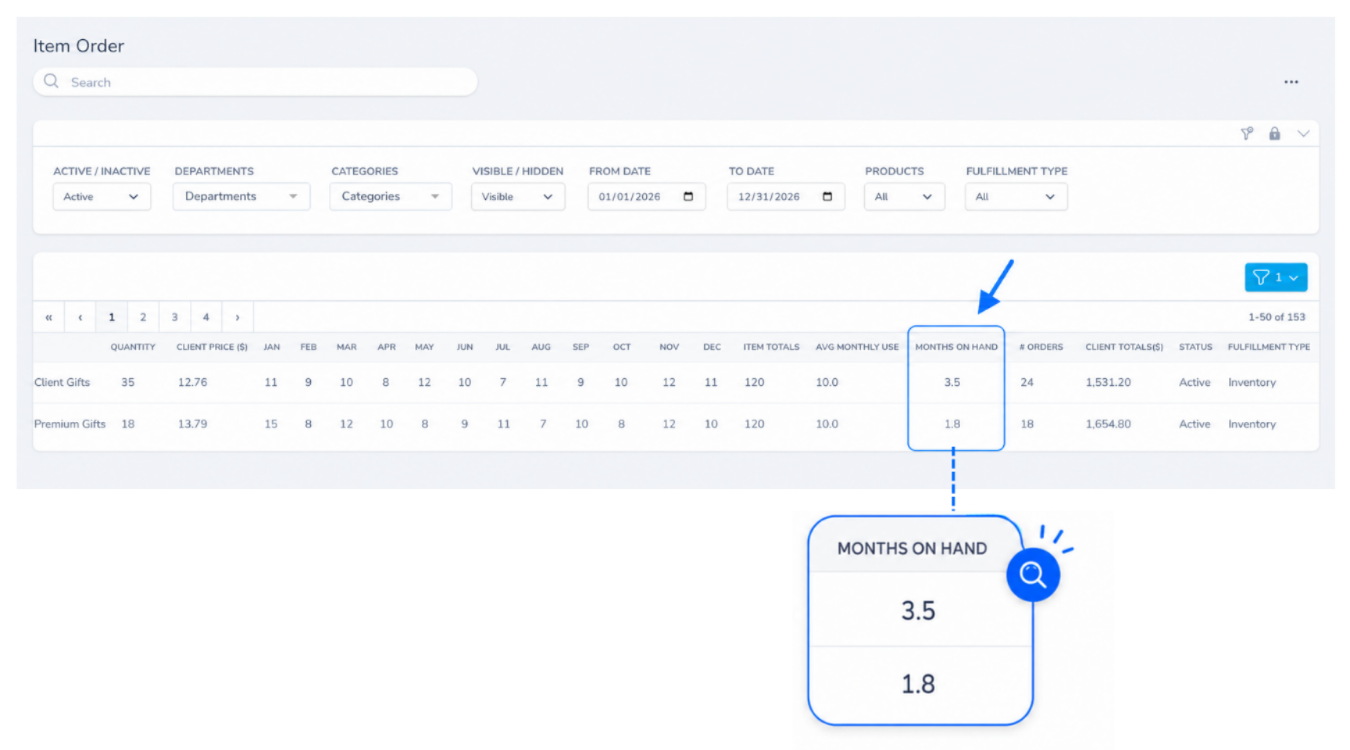
The Item Order Report now includes a Months on Hand column, and many teams will find it the most useful part of the report. It tells you how long your stock will last based on how quickly you actually use it. If an item shows 3, you've got about three months left at your current pace, so you can spot what's running low and needs a reorder soon, and what you've got plenty of. No more digging through usage history or guessing. The number is calculated from available inventory divided by average monthly use, and sits right after the Avg Monthly Use column. Best of all, it turns the report from a record of what already happened into a tool for what to order next, so you reorder before you run out and stop tying up budget in stock you don't need yet.
The everyday reporting got some love, too. Both of these came straight from how teams actually use the exports:
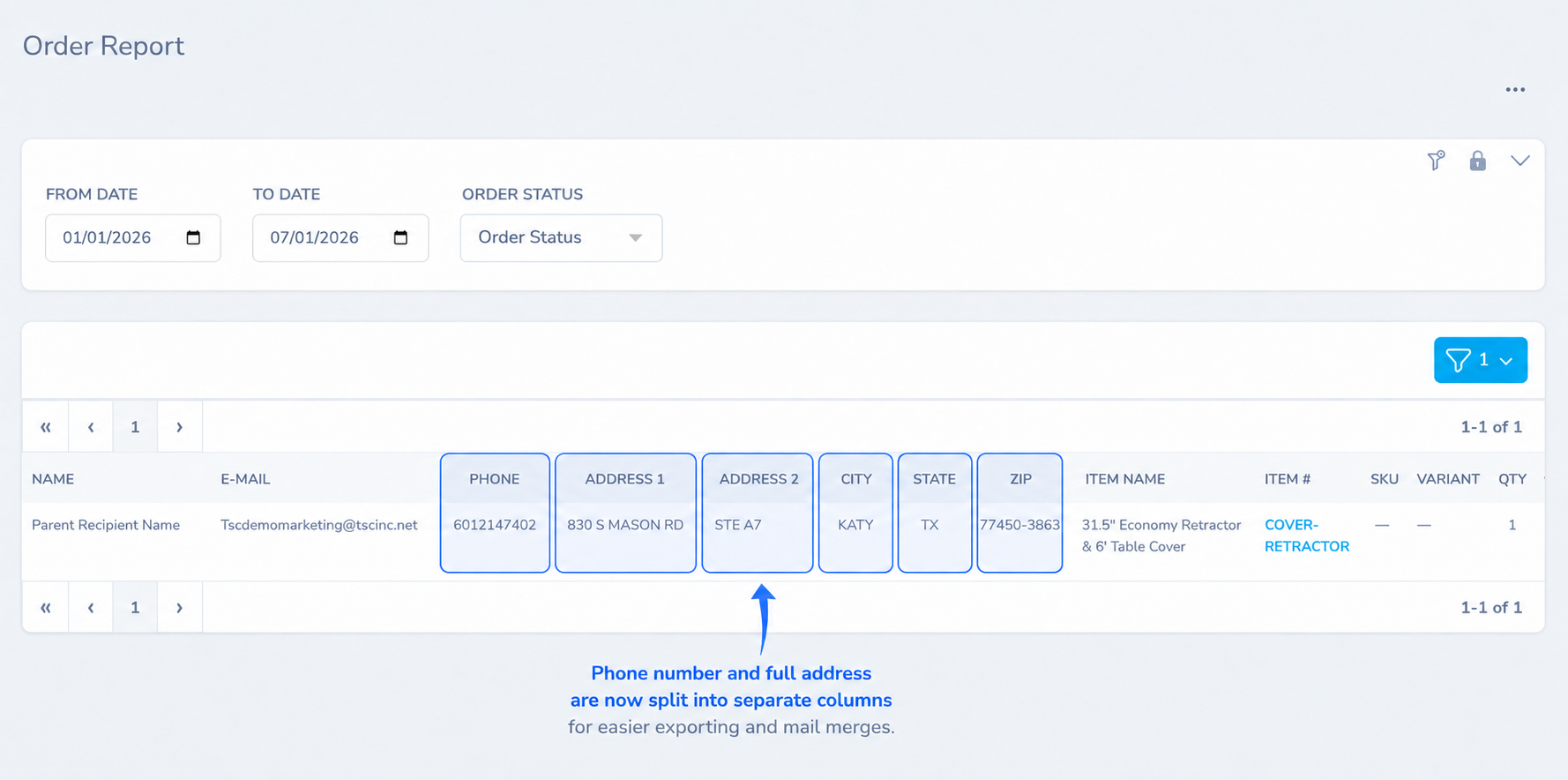
Order Report: the shipping address is now broken out into separate columns (Address 1, Address 2, City, State, and Zip), and a phone number column has been added, so the data is easier to sort, filter, and hand off for shipping.
Date-ranged reports: the "to" date now includes results from that day. Previously the end date was excluded, so a report run from a date to that same date came back empty. This now works as you would expect across the Accounting, Order Report, Inventory Item Usage, and Promo Code Transactions reports.
Smaller improvements and fixes
A round of polish and fixes across the platform:
Color swatches in the new shop can now match each product's true color using exact hex values, so the shade shoppers see lines up with the actual item.
Original file names are now preserved when you upload images to the gallery, so your assets stay organized.
Quantity adjustments no longer truncate data.
Bulk product updates now validate email values and reject an entry of "0."
Inactive variations no longer appear on new shop product pages.
The color picker now updates correctly when you change sizes.
Logo mapping now refreshes correctly when size and color variations update automatically.
Have questions about any of these updates or need help getting started? Reach out to us at PromoTrac Support. We would love to hear from you!