
What's New in PromoTrac v7.1
March 20, 2026
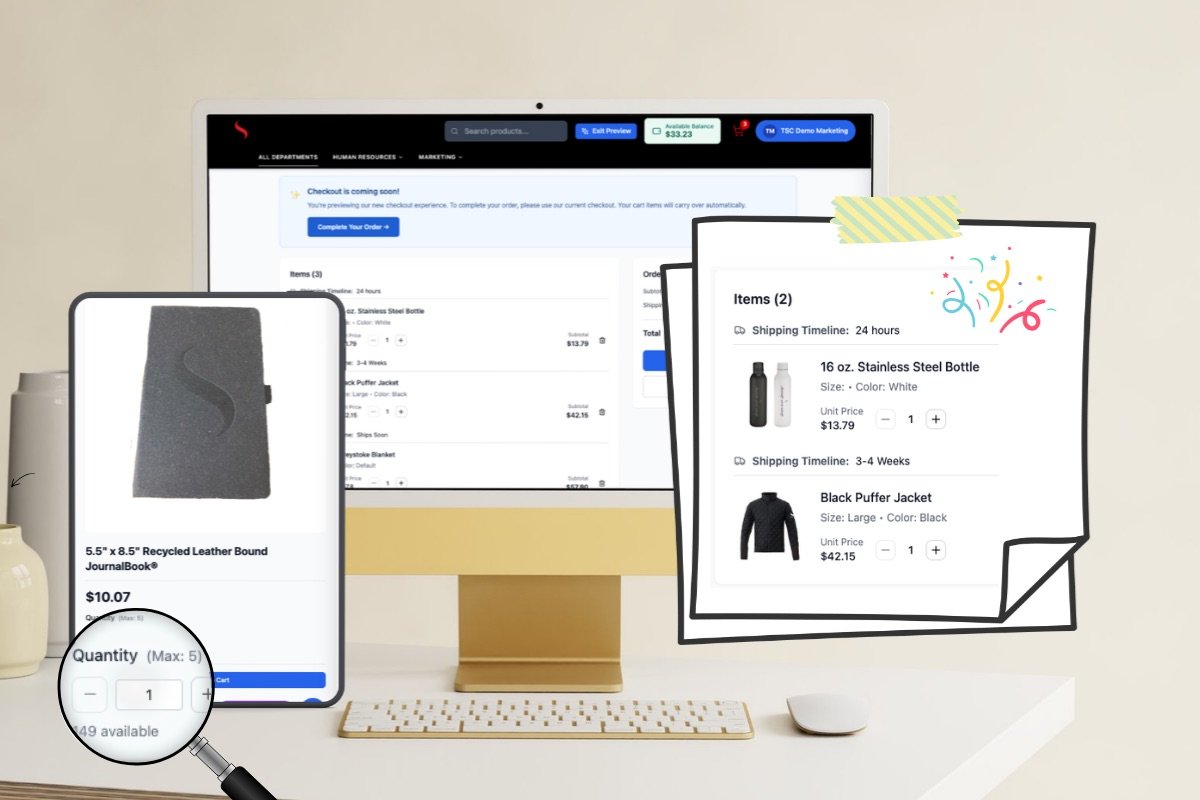
PromoTrac v7.1 is almost here! This release brings several updates focused on giving you and your shoppers a better experience, from improved order transparency and smarter store controls to reporting enhancements that make it easier to see what's happening across your store.
Updates include:
Shipping Timelines
Customizable Messages
Maximum Order Limits
Manager Approval by Item
Reporting Enhancements
See It in Action:
PromoTrac v7.1 Enhancements
Shipping Timelines
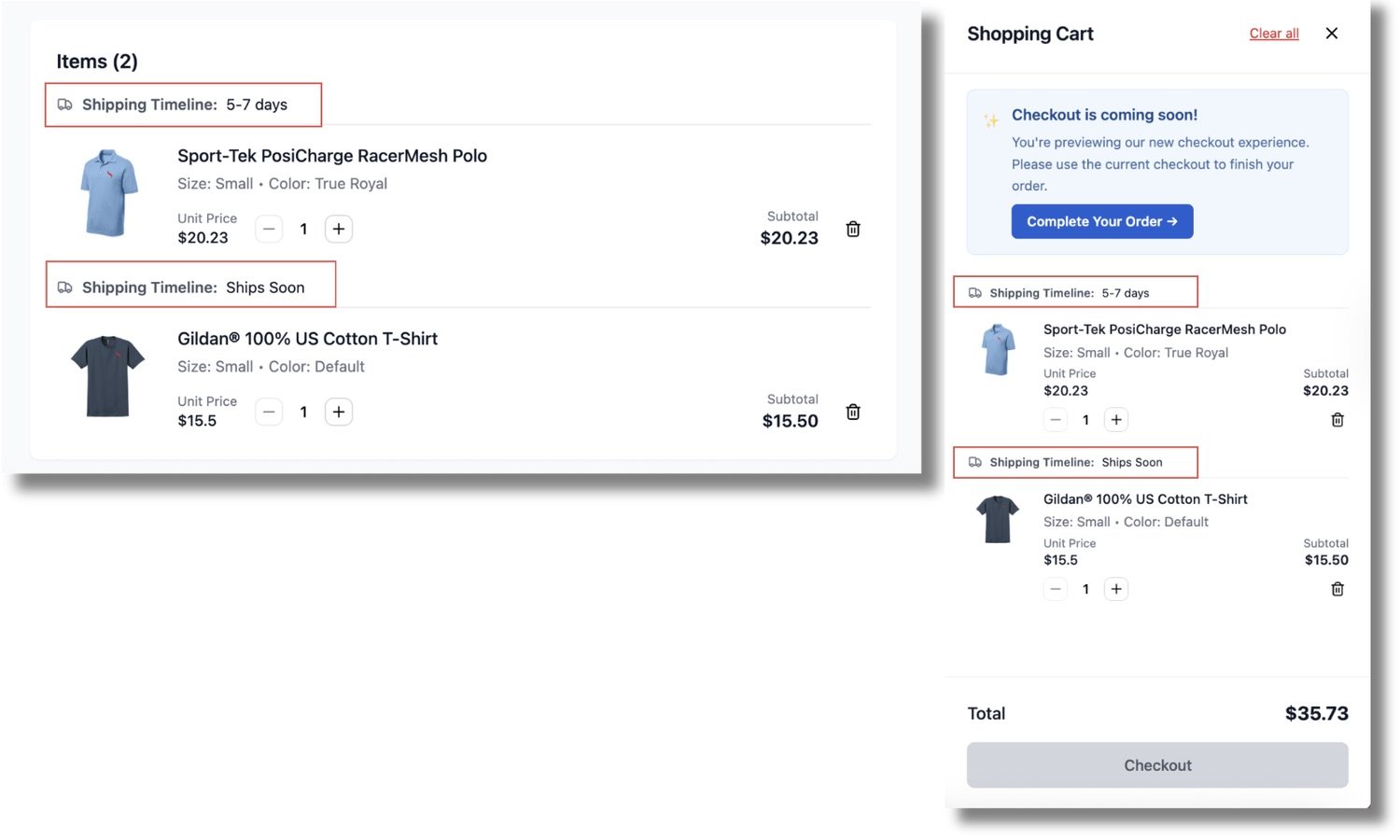
PromoTrac will display shipping timelines directly on items in your cart. You'll see estimated delivery timeframes — like "Ships in 24 hours" or "3-4 weeks" — for each item, right where you need that information before placing your order.
Every item will have its own timeline depending on how it's made or fulfilled. Items inventoried at the TSC warehouse ship within 24 hours, while on-demand items have longer lead times. Soon that information will be visible upfront for each item in your cart, so there are no surprises. Whether you're ordering something you need quickly or planning ahead, you'll always know what to expect.
Customizable Messages
Messages will soon be displayable at key moments during the checkout process — including the checkout page, payment screen, order confirmation page, and receipt notification. It's a simple but powerful way to make sure your shoppers see the right information at the right time.
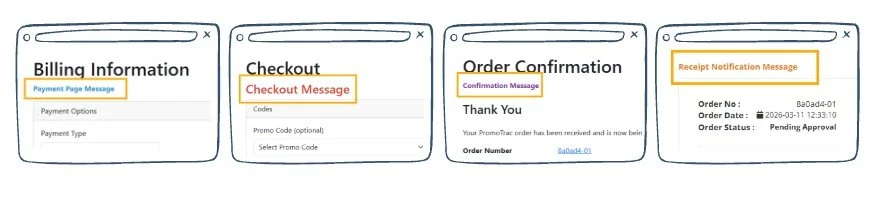
Interested in adding messaging to your store? Just reach out to us and we'll get it set up for you.
Maximum Order Limits
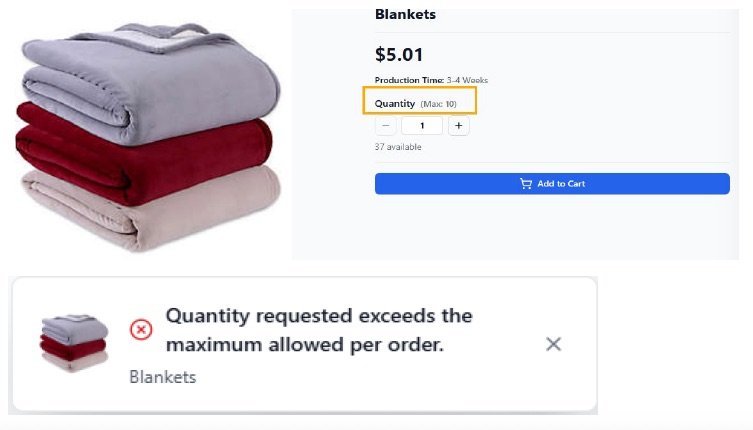
Items will soon be configurable with a maximum order quantity. Shoppers will see the limit displayed clearly, and if they try to exceed it, they'll receive a friendly notification letting them know. It's an easy way to protect inventory and keep ordering fair across your team.
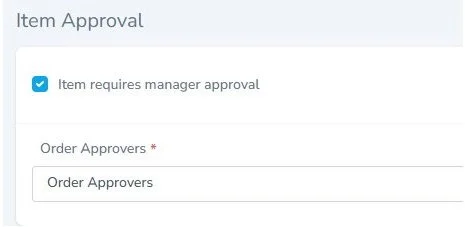
Manager Approval by Item
Items will soon be configurable to require manager approval before an order is processed. When a shopper orders an item that requires approval, the designated manager or managers will receive a notification to review it. Once approved, the order will continue through the normal workflow — no extra steps needed from the shopper. This will give you a built-in layer of oversight for items where it matters most.
Reporting Enhancements
Two reporting updates are coming in this release:
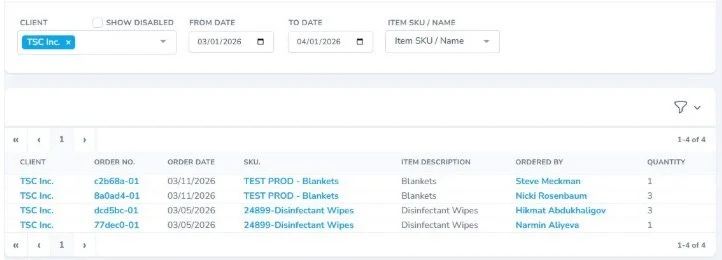
Inventory Item Usage Report — A new report that shows who ordered a specific item, the quantity ordered, and the ability to filter by date range. Great for identifying ordering trends and keeping a pulse on your most popular items. Exports to Excel.
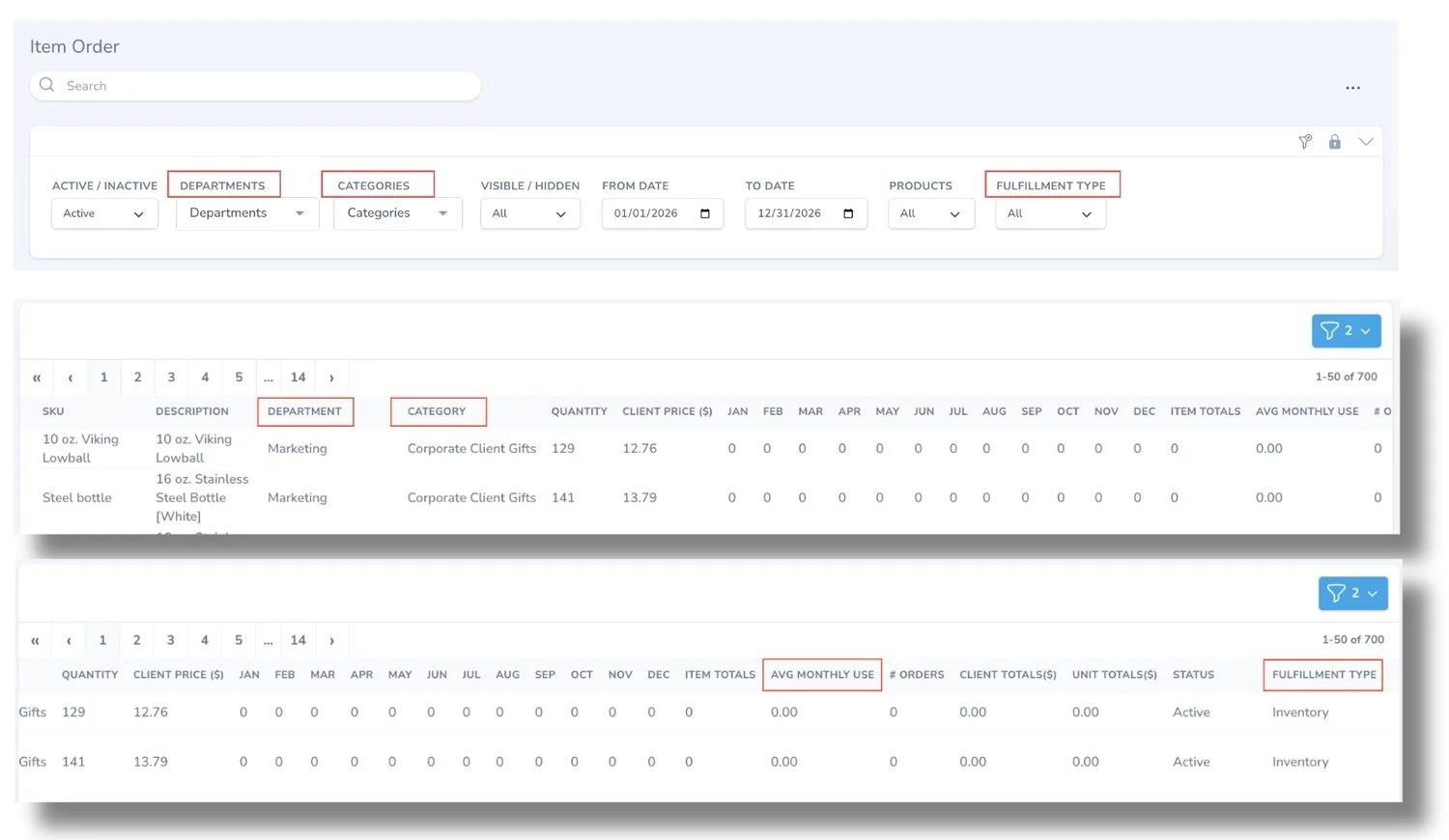
Item Order Report Updates — The Item Order Report now includes four new columns: Department, Category, Fulfillment Type, and Average Monthly Use. Monthly totals are now broken out by year as well, so if you're running a report across multiple years, March 2024 and March 2025 will display separately instead of being combined into a single total. Together, these updates give you a more accurate and complete picture of what's being ordered, making it easier to analyze activity and plan ahead.
As always, if you have questions about any of these updates or need help getting started, we're here.
Reach out to us at PromoTrac Support — we'd love to hear from you.